
Uncensored Video App: What Actually Works in 2026
The Uncensored Video Myth
Spend a week inside AI companion apps and you'll spot the same trick over and over: a slow zoom on a still photo, labelled "video." GoLove.ai's Feed is the first one I've opened where the clip moves like a scene rather than a filter.
Is that difference worth your time? It's the entire search. Nobody typing "uncensored video app" wants a tube site. They want a character they picked, doing a scene they picked, generated rather than filmed. What most apps hand over instead is a pan, a loop, or a lip-sync mask glued onto a photo. It phones in the "video" part and bets you won't look closely.
Then there's the word "uncensored," which is the other half of the myth. No app is uncensored in any absolute sense — every one of them, GoLove included, draws hard lines around illegal content, minors and real-person likeness. What the word realistically buys you is adult scenarios on the menu by name, not smuggled in through prompt tricks.
So the bar for this piece is short. Does the clip move like a scene, can you choose the scene, and does it run with your character. If you'd rather start with the wider rundown, the AI girlfriend apps I compared cover chat and photos, which is where most people actually spend their hours; this one stays on video.
ASK HER FOR PHOTOS
She sends them right there in the chat.

Scrolling the Feed, Picking a Scene
The Feed lives at /app/feed and behaves like Reels. One full-screen clip of a GoLove character at a time, swipe up or down on mobile, mouse wheel or arrow keys on desktop, and it doesn't end. Two tabs — Explore for recommendations and new clips, Liked for anything you double-tapped. Every clip carries the same small set of actions:
- Chat — opens the character's profile (name, bio) and drops you straight into conversation; from there you can voice-call or request private photos, same character, no re-finding.
- Remix — the magic wand (easy to miss on a phone). It opens the generator preloaded with that character and the exact settings that produced the clip.
- Share — a link to that specific clip.
Remix is the killer feature, and not for the reason the app probably thinks. It proves the feed isn't a curated showreel — it runs on the same generator every account gets. Open Generate, switch to the Video tab, and you're looking at preset cards: an action card like Twerk or Hard Doggy Style, a Clothes card, a Background card, one Generate tap. The avatar swap top-right lets you run the same scenario with any GoLove character or one you built yourself. There are 76 realistic video modes, plus 20 anime, 35 trans and 16 anime-trans.
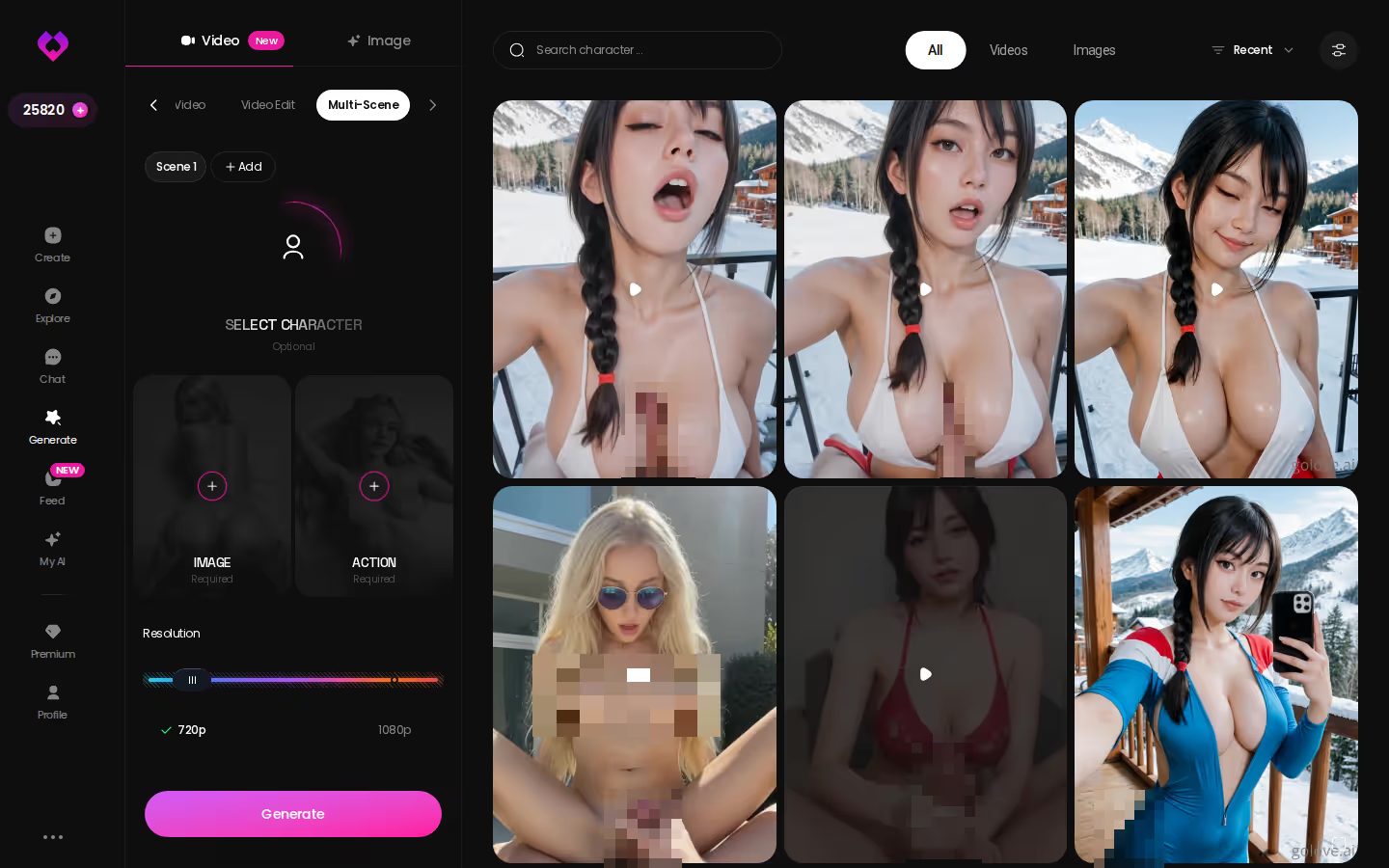
Why click now rather than bookmark it? Because the free tier hands you 2 Stars a day and a limited number of new feed videos daily, so the fastest way to know whether this is time well spent is to swipe a few clips and hit Remix on one before today's allowance is gone.
One Photo, Turned Into Motion
GoLove's video isn't a separate island from its photos, and that matters more than any single clip. The photo generator — 35 realistic poses, 21 outfits, 34 backgrounds, batches of 2, 4 or 8 — is the front door. Generate Video from Photo, added in 2026, takes one of those stills and turns it into a moving clip. Same character, same outfit, same room, now in motion.
It works from chat too. Ask for a photo mid-conversation, then use Video Actions and the Select Action modal on that photo. The character doesn't reset between the still and the clip — which is exactly the step most "image to video" tools quietly fumble, and the one I'd check first on any competitor.
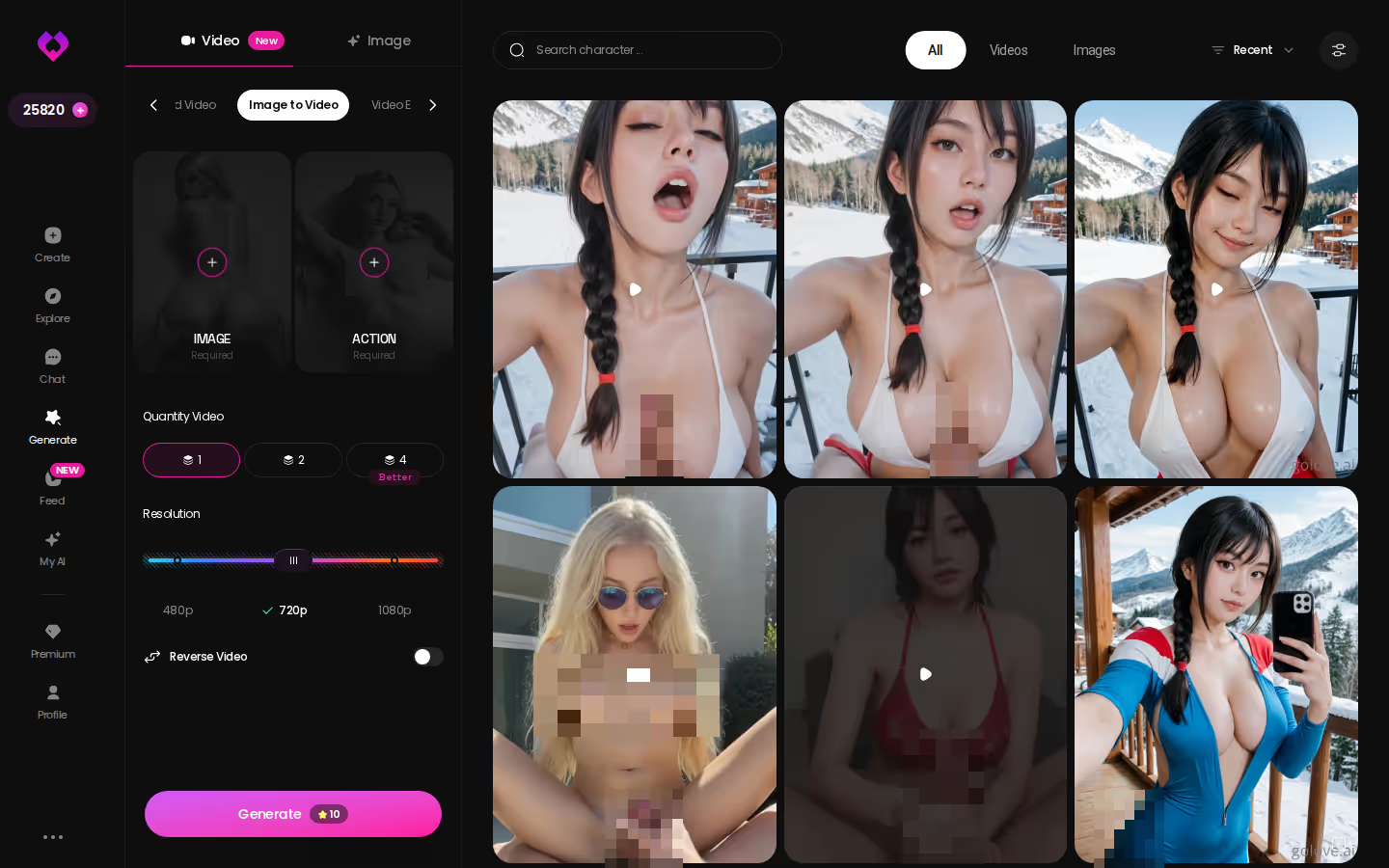
This screen, not the marketing copy, is where "uncensored" gets defined. The action presets are labelled plainly — Instant Undress, Spread Legs Creampie Drip, Squirt, Shibari Swing, Ahegao — sitting in a menu, not hidden behind a jailbreak. That's the honest version of the word: explicit scenarios are first-class options, and the moderation lines that remain (illegal content, likeness) are the ones every serious app keeps. If a competitor won't show you its action list before signup, assume the list is short.
Characters you can open right now
Tap any of them and the chat starts there






Chaining Scenes, Stretching a Clip
Single clips are the easy part. What separates a real generator from a photo animator is what you can do after the first clip lands.
Chaining a Scene
Multi Scene generation takes several preset moments and stitches them into one video instead of leaving you with a folder of disconnected loops. The old way: pick one action card, generate, pick another, generate, and the two clips never meet. The new way: line the cards up as a sequence — an undress card into a position card into a finish card, say — and the generator assembles them as one continuous piece with the same character, clothes and background carried through. It's the gap between a GIF collection and something that reads as a scene.
Stretching a Clip
Extend Video solves the opposite problem. You've generated a clip that finally landed — right angle, right motion — and it ends too soon. Regenerating from scratch and hoping the dice fall the same way used to be the only answer, and they usually don't. Extend takes the clip that's already working and continues it, so you keep what you liked instead of gambling it away.
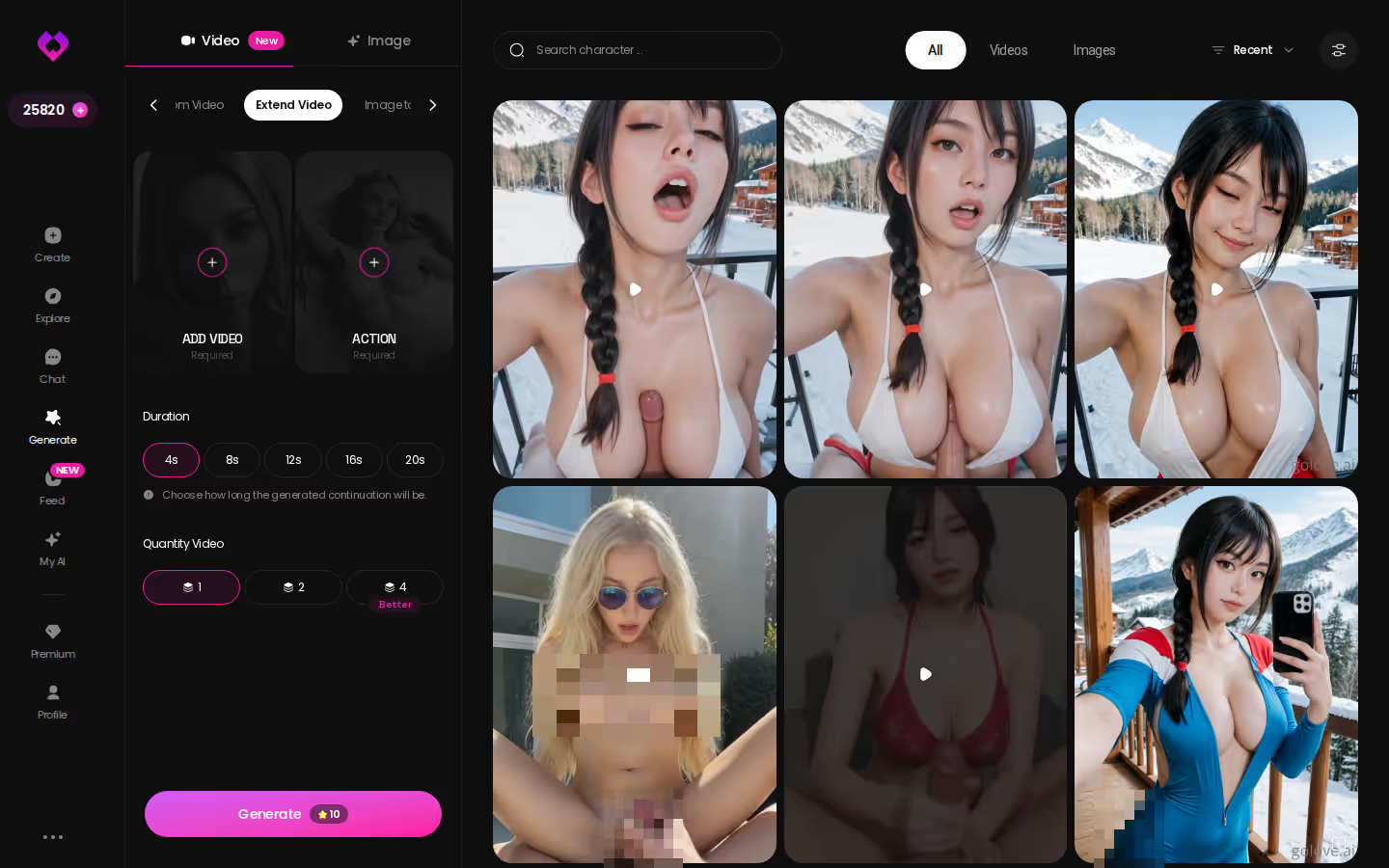
Of the two, Extend is the one I'd point people at first. Multi Scene is for when you already know the story you want; Extend is for when the generator surprised you and you'd rather not lose it. Both spend Stars. Check the price shown on the button before you tap, because it isn't a fixed figure I can quote here.

PLAY THE SCENE WITH HER
Any scene, your pace, no script.

Getting In Without the Forms
The earlier CTA sits where it does because of friction. Most adult AI apps put a signup wall before you see anything move, and by the time you've invented a username and confirmed an email, whatever impulse brought you there has cooled.
GoLove's links route through anonAuth, which means you land inside the app first and the account catches up later. Concretely, you skip:
- Email confirmation before your first swipe.
- Card entry before you've seen the generator.
- Profile setup before you've picked a character.
> The apps that lose people don't lose them on price. They lose them in the ninety seconds between "curious" and "logged in."
That's the whole case for testing the Feed now rather than reading three more listicles. You can be scrolling generated clips and hitting Remix before a competitor's signup form has finished loading. And if it turns out not worth it for you, you've lost a few minutes and nothing else.
GoLove.ai's Free Tier: Where the Limits Are
The trade-off is that the good stuff runs on Stars, and Stars are what the free tier rations. Chat, memory, relationship progression and the Feed's first clips of the day cost nothing. Video generation, longer clips, Extend and Multi Scene all spend Stars, and the free allowance is 2 a day — enough to keep you coming back, nowhere near enough to build a library. I'd call that stingy, but it's at least honest about what it is.
Where the walls actually sit:
- Feed — free users get a limited number of new videos per day, then the "Unlock Unlimited Feed" paywall appears. Feed filters (Realistic/Anime, gender, age) are PRO-only.
- Generator — every video costs Stars; the exact cost per clip is shown in the UI, not a number I'll quote. Higher-fidelity and chained outputs burn more.
- Character libraries — top profiles run to hundreds of videos and thousands of photos behind a per-character "Unlock All," priced individually.
On pricing, be careful with anything you read, including this. As of 2026-07-19, PRO ran about $19.99/month, with an annual plan around $119.88 (roughly $9.99/month). Star packs ran from about $9.99 up to about $179.99. All of it varies by region — some geos show closer to $12.99 monthly — and by promo (the banners alone have swung between -50% and -70%). Treat every figure as approximate and check the screen in front of you.
Is it worth it? For someone who wants photos, chat and memory first, with video on top, yes. The free tier is a real preview rather than a demo mode, and the paid tier buys generation instead of unlocking basics that should have been free anyway.
Prompting My Own Character's Video
The last step is to stop borrowing characters and build one. Create offers Realistic, Anime and Trans, plus Design with AI — you describe the person in text and it produces the character. Save her, and she shows up in the Generate avatar picker like any GoLove character; on mobile she gets a first-class tab in the bottom nav next to Explore, Chat and Feed.
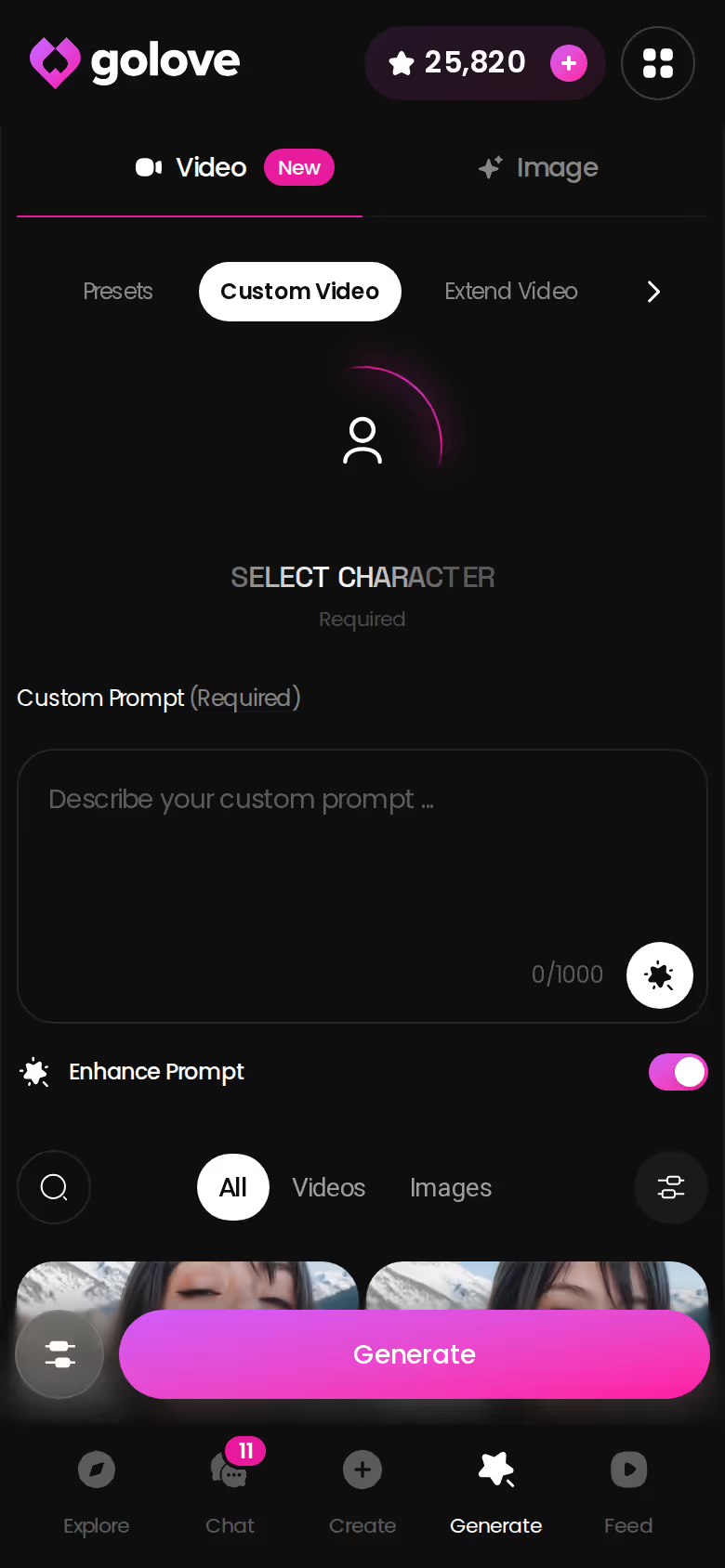
From there the flow is the one you've already seen: Video tab, action card, Clothes, Background, Generate. The clip lands in her Gallery, sorted by date, and she carries it into chat. You can voice-call her, set her lust level from sweet to unfiltered across five steps, and she remembers the conversation the next time you open the app. That continuity across photo, video, voice and memory is the one feature the "video apps" I set out to check simply don't have.
> Verdict: For an uncensored video app in 2026, GoLove.ai is the pick — not because the clips exist, but because they belong to a character who chats, calls, remembers and keeps a gallery. Everything else is a filter with a marketing label.
Building a character takes a text description and one tap, and her first video runs on the same free Stars you already have today. That's an easy yes.
| What you get | GoLove.ai |
|---|---|
| Real-time voice calls | Yes — per-character voices |
| Memory across chats | Yes — remembers your details |
| In-chat image generation | Yes — 35 poses & 21 outfits |
| Daily reward stars | 2 every day |
What good looks like, in one checklist:
- Real-time voice calls with per-character voices
- Memory across chats — she remembers your details
- In-chat image generation — 35 poses and 21 outfits
- 2 reward stars every day you log in
Frequently Asked Questions
Related Articles
AI Porn Video Finder: What Actually Works in 2026
AI porn video finder sites are ad walls and dead links — GoLove.ai lets you generate fresh video with memory instead. See how it compares.
NSFW Video Face Swap: What Actually Works in 2026
NSFW video face swap risks real faces and legal trouble — GoLove.ai builds custom-character video with memory instead. See how it compares.
Video Call AI: What Actually Works in 2026
Video call AI mostly can't do live video — GoLove.ai wins with voice continuity and photo-to-video instead. Instant-access needed. See what works.
NSFW AI Video: What Actually Works in 2026
NSFW AI video tested honestly — GoLove wins with photo-to-video, per-clip remix, and a character that stays consistent. See it.
This article contains affiliate links. We may earn a commission at no extra cost to you if you sign up through our links. See how we test.